
Ando: Food Delivery App


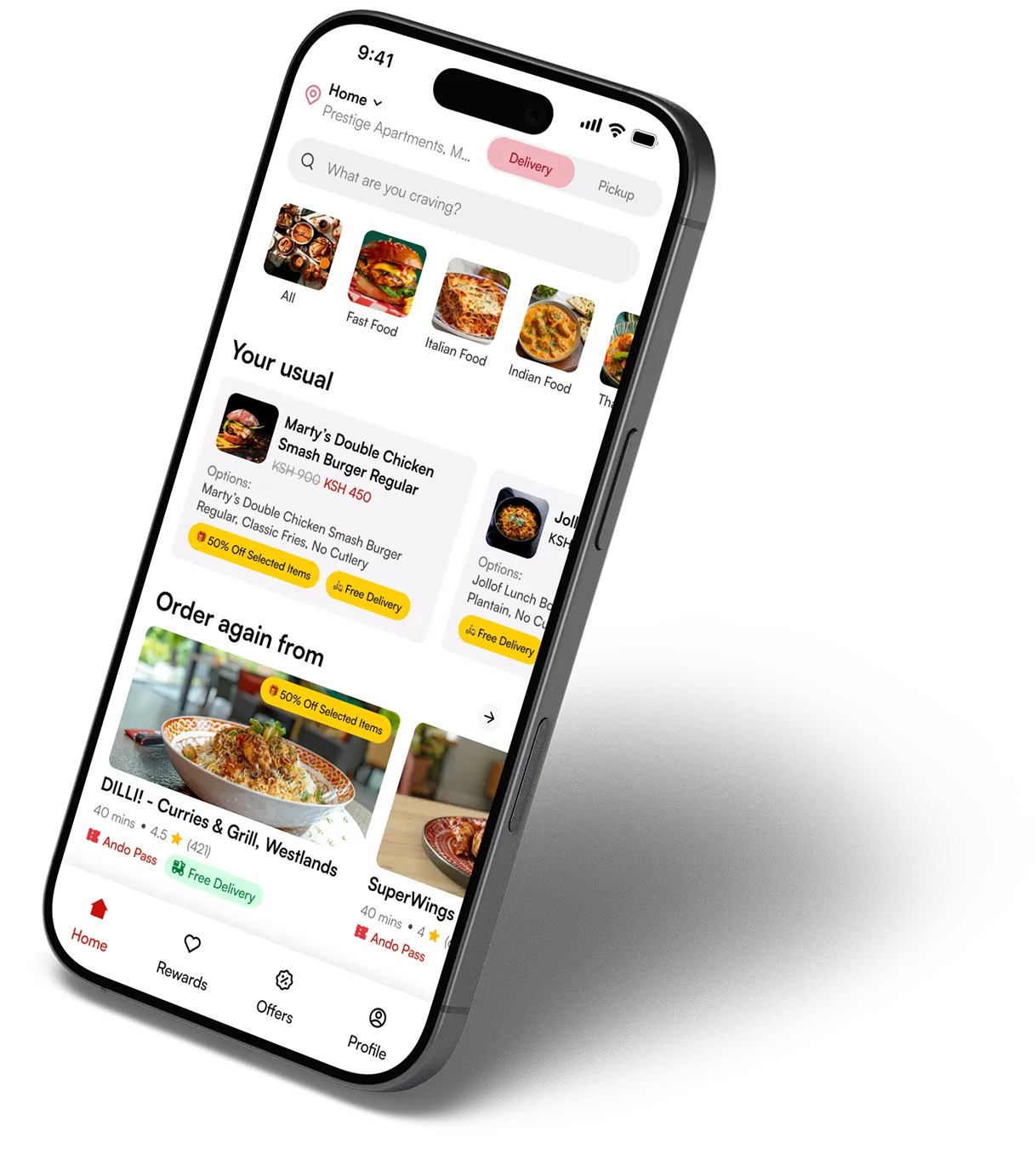
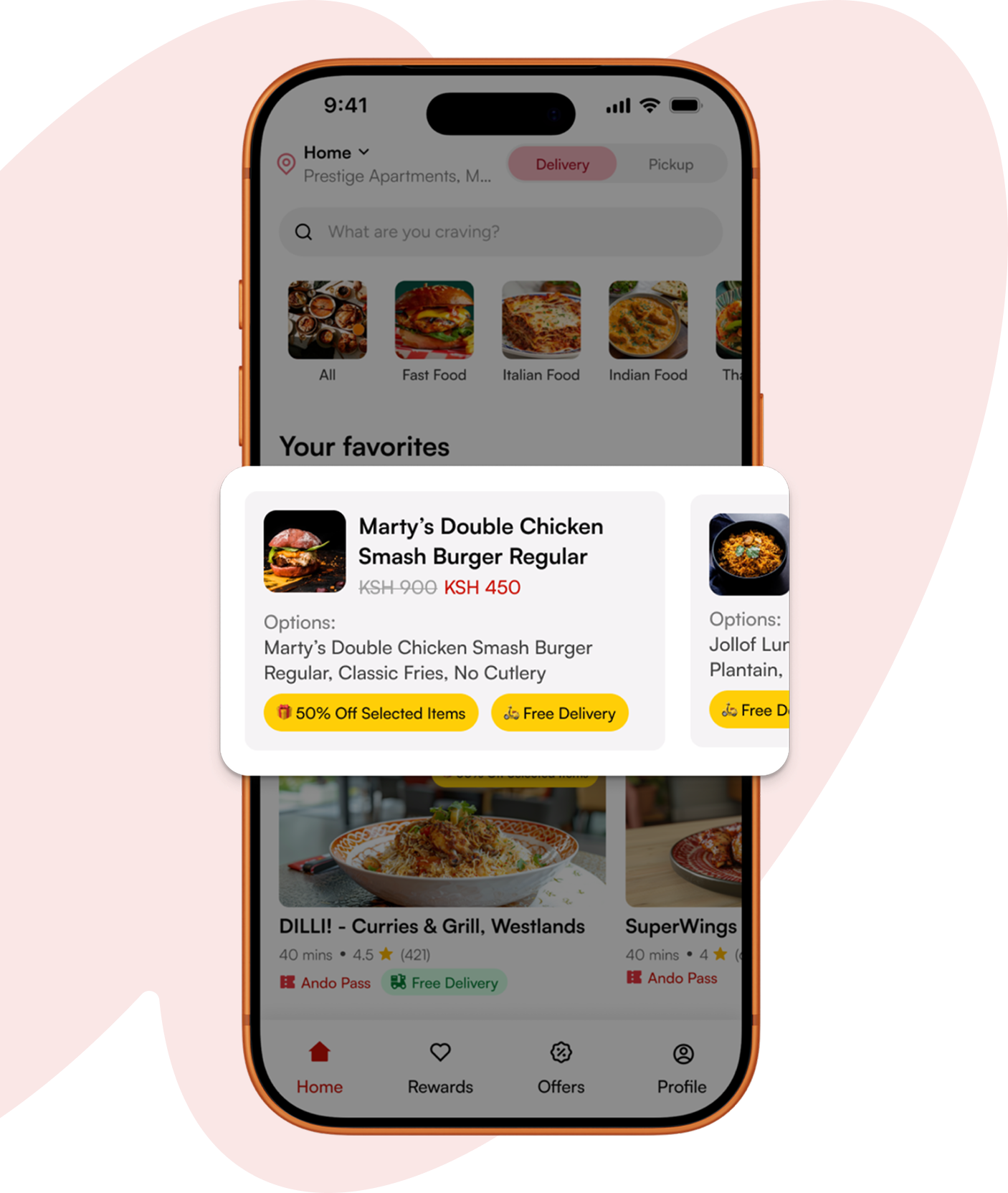
Skip the scroll. Search by dish, filter by cuisine, or jump straight to Your Usual, the meals you already know you love, sitting right there on your home screen. Ando remembers your past orders so you don't have to rebuild them from scratch every time. Craving something specific at 9pm on a Tuesday? Type it in and you're two taps from ordering.
No more wondering where your food is. Every order moves through a clear status timeline, confirmed, preparing, on the way, delivered, so you always know what's happening. Once your rider picks up, a live map shows exactly where they are and how far out they are from you. No guessing, no calling the restaurant to check.
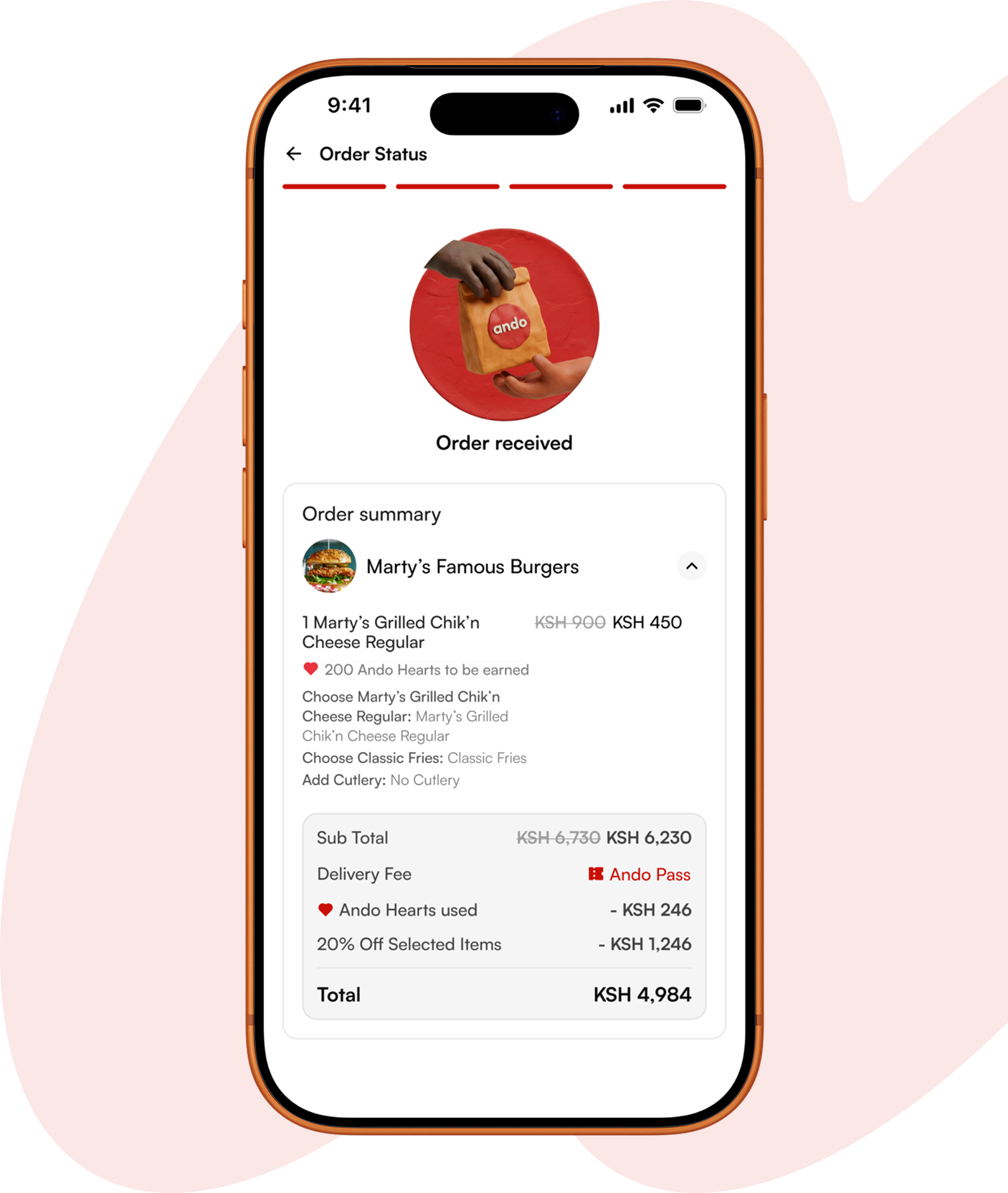
No more wondering where your food is. Every order moves through a clear status timeline, confirmed, preparing, on the way, delivered, so you always know what's happening. Once your rider picks up, a live map shows exactly where they are and how far out they are from you. No guessing, no calling the restaurant to check.

For a month subscription fee, Ando Pass removes the delivery fee from your orders and unlocks exclusive discounts at partner restaurants. If you order more than a couple of times a month, the Pass pays for itself, and after that, every delivery fee you'd normally pay stays in your pocket instead.
Every order earns you Ando Hearts, and those Hearts come straight off your next order's total. There's no separate app to check, no codes to remember, your Hearts balance shows up automatically at checkout, ready to use.
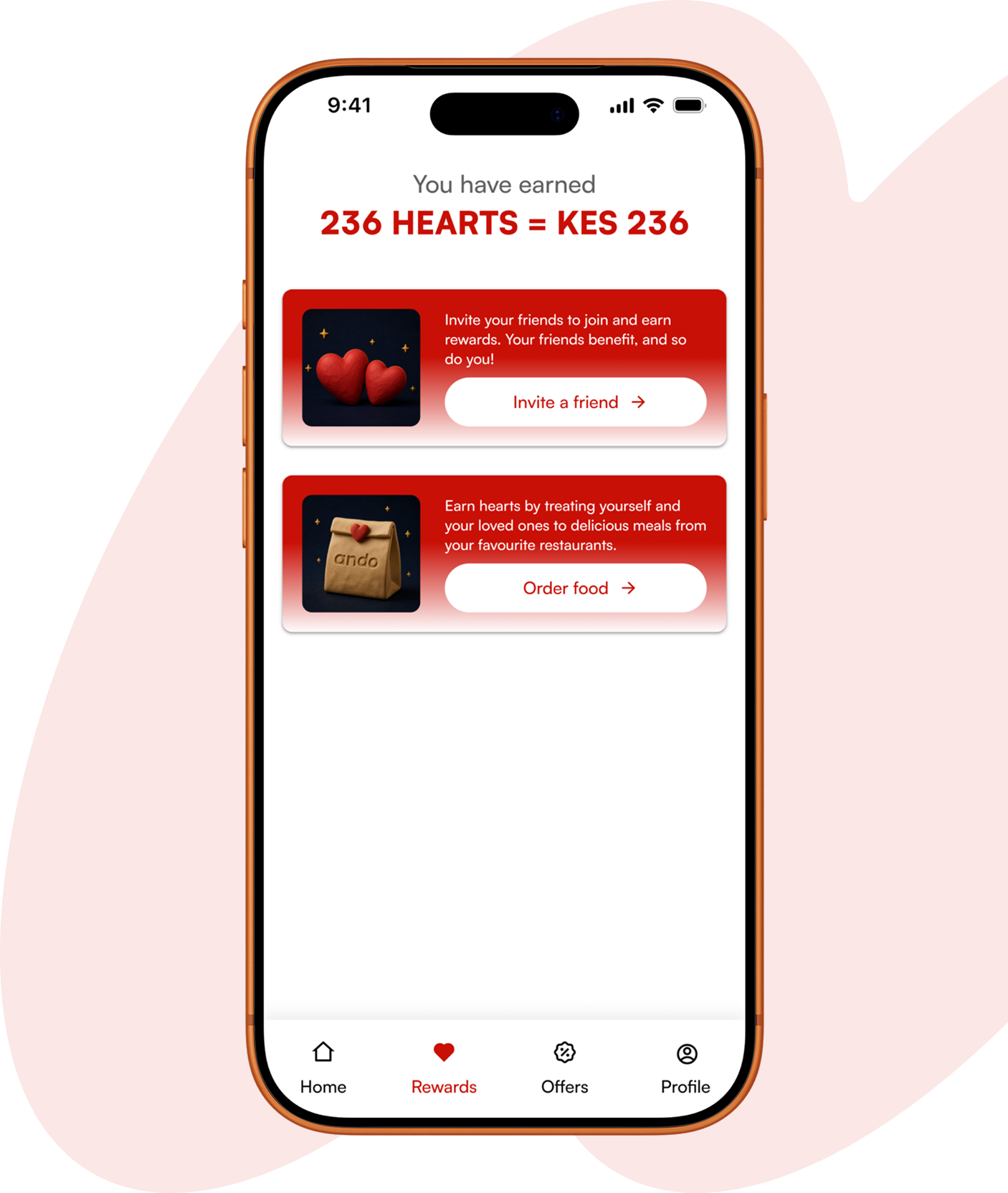
Every order earns you Ando Hearts, and those Hearts come straight off your next order's total. There's no separate app to check, no codes to remember, your Hearts balance shows up automatically at checkout, ready to use.
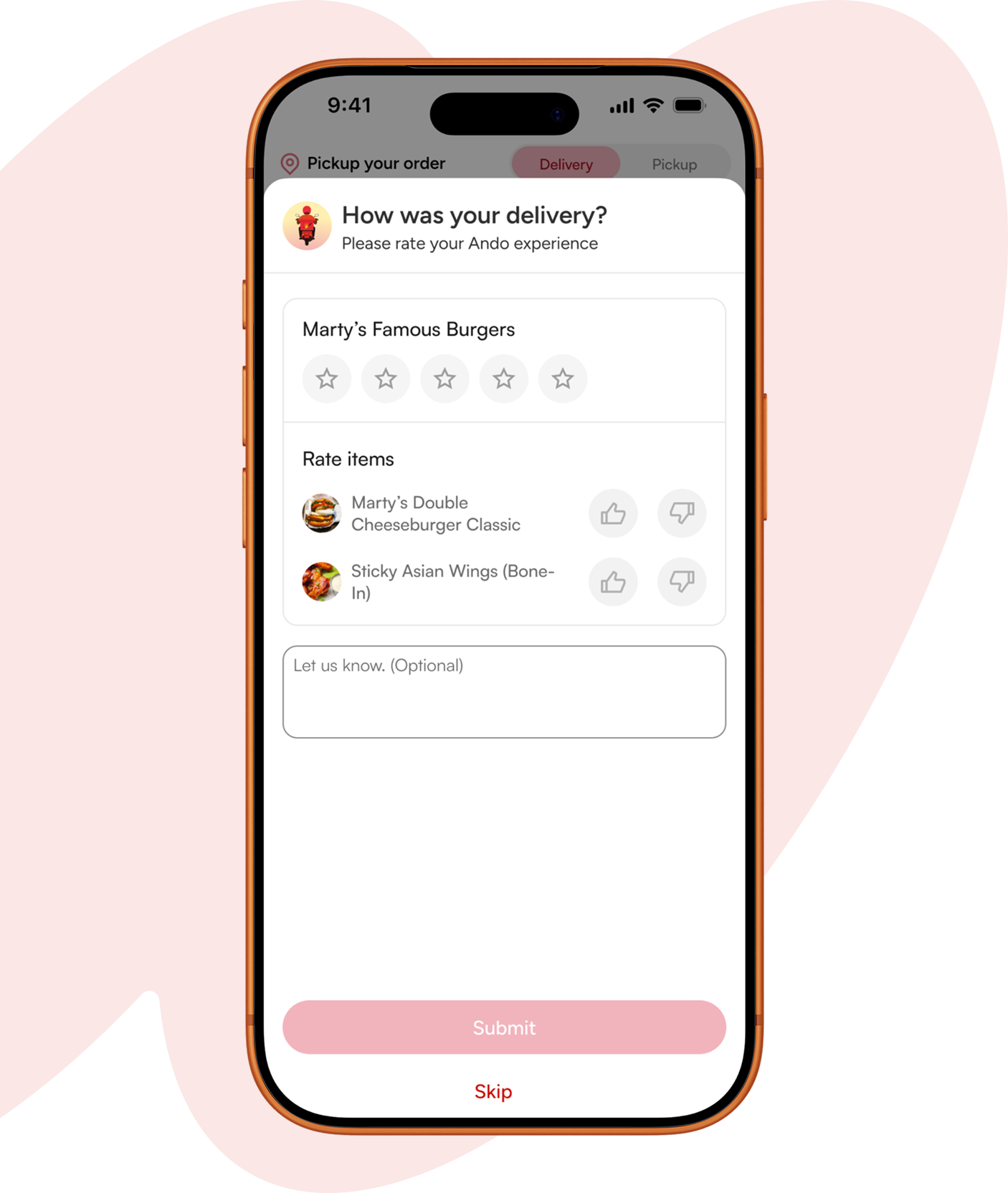
After delivery, rate your rider and rate each item in your order separately. Loved the burger but the wings arrived cold? Say so, item by item, star by star. It takes seconds, and it's how we know exactly what's working and what needs fixing, restaurant by restaurant, dish by dish.
Frequently asked questions
How do I place an order?
Browse by category or search for what you're craving, then select the restaurant you'd like to order from. Choose your items and customize them where needed, add-ons, sides, cutlery preferences, and add them to your cart. Review your order and apply any offers. If you have Ando Pass, the benefits will automatically be added at checkout, then confirm. From there you'll see live status updates as your order is confirmed, prepared, and on its way.

What does "Past Choices" mean when customizing an item?
"Past Choices" refers to the specific add-ons and customizations you selected the last time you ordered a particular item, your choice of sides, spice level, cutlery, or other options. When you order that same item again, Ando surfaces those previous selections so you can reorder exactly what you had before with a single tap, instead of re-selecting every option from scratch. If you'd rather change something this time, you can still adjust any of it before adding the item to your cart.
How do I track my delivery in real time?
Once your order is accepted by the restaurant, you can view its status right from the app, no need to refresh or check back manually. You'll see it move through each stage, confirmed, preparing, and out for delivery, and once your rider picks up, a live map shows their exact location and route to you, along with an estimated arrival time. You can also reach your rider directly from this screen if you need to share directions or check in.
Why does a restaurant show as busy or unavailable?
A restaurant may temporarily show as busy when it's received more orders than its kitchen can prepare within a reasonable time. Rather than accepting orders it can't fulfill promptly, and risking cold food, long waits, or mistakes, the restaurant pauses new orders until it works through its current queue. This is temporary and automatic, the restaurant will reopen for orders as soon as it has capacity again, usually within a short window. In the meantime, you can check back shortly or browse other restaurants nearby that are currently accepting orders.